About 13 Things

Our Summer 2014 version of 13 Things begins the week of May 19. Let the THINGS begin!
Showing posts with label 13things. Show all posts

Monday, August 25, 2014

And the winner is:

In the excitement of Orientation Week, I forgot to announce the winner of the iPad!

We had close to 300 comments on the blog, with each comment earning ONE ticket into the raffle. Patrick Naick just happened to be in McCabe at the time of drawing, and he pulled KIM PIERSON's entry out of the pile. Kim is the new owner of an iPad mini + case. Congratulations!

Thanks to everyone who participated. I enjoyed reading the vast perspectives in comments!
Monday, August 11, 2014

Week 13: We have arrived!

We're just a week away from meeting the newest crop of Kohawks. It's an exciting time of year; a time that makes me think both about my own experiences as a college freshman and about the experiences our new students are bringing in with them.

Take a moment right now to think about the technologies you had with you when you moved in to your freshman dorm (or wherever you lived for your first semester of college).  I had an account on
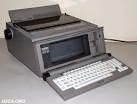
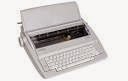
the South Dakota State Telephone Network (SDSTN) in my dorm room with long distance costing ten cents a minute and a Snoopy phone I'd won selling magazines. I brought a Brother daisy wheel typewriter (I was a terrible typist and hated every key stroke on that thing!) and my newly purchased Jansport backpack. By second semester, I'd learned about the computer lab in Briggs Library and spent most of my writing time there. And, luckily my second year roommate (also Lisa) showed up with an awesome new word processing device: I could actually read about two paragraphs of text on the screen before committing to print!

Now let's think about what those new students are moving in with next week. If recent history repeats, we know almost every one of them will have computer - most will have laptops. Less than 1% will not have a smartphone. Many will have multiple devices; an iPad, a laptop, a smartphone, gaming devices and more. They'll use them in ways we might not get (I know a student who composed a five page paper on his phone).

I think it's helpful to put our students life experiences, age and a few thoughts about how they have interacted in our world into perspective before they arrive. I have two articles to share this week that will make us think about our incoming Kohawks. The first is a blog post by the Tenured Radical (written by Claire Potter) on the Chronicle of Higher Education. Two weeks ago, Potter posted Bye-Bye Birdie: Sending the Kids Away to College. It's a casual post giving advice to parents on how to prepare their kids for college.  She writes about some touchy topics (creating separation by NOT calling your child multiple times a day and talking about drugs and alcohol) and some topics we probably wish were mandatory reading for ALL parents and incoming students (college is different than high school!). If you could add to the the list for parents, what topics would you include?

The second article is the Beliot Mindset List. I've been reading this list since starting at Coe. It's a list of popular cultural, political and historical references to help "place" the incoming (traditional) first year students. The list is published by Beliot College and started in 2002. Here's what Beliot says about their list:
"What started as a witty way of saying to faculty colleagues "beware of hardening of the references," has turned into a globally reported and utilized guide to the intelligent if unprepared adolescent consciousness. It is requested by thousands of readers, reprinted in hundreds of print and electronic publications, and used for a wide variety of purposes. It has caught the imagination of the public and has drawn responses from around the world, including more than a million visitors to the website annually."
The Class of 2018 List will be published in three weeks (according to the Mindset Facebook page), which is just a little late for us. Fortunately, much of the 2017 Mindset List can also ring true. A few key elements of the list that struck me:
  • Eminem and LL Cool J could show up at parents’ weekend. 
  • As kids they may well have seen Chicken Run but probably never got chicken pox.
  • Their TV screens keep getting smaller as their parents’ screens grow ever larger.
  • Rites of passage have more to do with having their own cell phone and Skype accounts than with getting a driver’s license and car.
  • With GPS, they have never needed directions to get someplace, just an address.
  • They have always been able to plug into USB ports
Two years ago, after sending detailed instructions for getting to my house to a new babysitter from the Student Association's list of house/animal/kid helpers, I realized I'd been wasting time compiling these instructions. I asked our new sitter if my directions had been OK, and she said she didn't even read them, just plugged the address into her phone. It's a hard habit to break, but I've restricted myself to just saying "it's a brown house."

How do you get yourself into the mindset of a 21st Century, born-in-1996 student? 


Monday, August 4, 2014

Week 12: Collections of Stuff

Almost every day I read something online that makes me think one of the following thoughts:
  • "This would be perfect for class next fall!"
  • "This article falls right in line with the project Joe Smith and I are working on."
  • "I'd love to read this when I have more time."
  • "I need to read this again when I'm 70 (or next summer, or when I'm ready to prep a new class, or before I buy a car.)"
Then, I do one of three things:
  1. I bookmark the article using my Delicious account. Admittedly it's an OLD tool and I have an account that's somehow stuck around through multiple iterations of Delicious (all the way back to when it was delicio.us and it was tied to Yahoo). *
  2. I email the link to myself, forever to be lost in the ether of my inbox.
  3. I email the link to someone else, forever to be lost in the ether of his/her inbox.
*I've also occasionally created a Google Doc and copied a number of links on to the document. Just recently I opened up an old Google Doc I'd labeled "references" and it contained two websites that are no longer even online. I have no idea why I saved them!

Now, I'm experimenting with a few different tools to help me organize and share my collections. I'll share some of the tools I'm experimenting with; perhaps you'll find them useful, too.


www.livebinders.com


LiveBinders calls itself 'your 3-ring binder for the web.' It allows you to create a "binder" of content (with notes to yourself!). You can share the content of each binder or keep it private. Picture it as a shelf in your office with multiple binders based on a topic of your choosing. Some users choose to make their binders public, a way of publishing collections for the greater good, if you will. Check out the "featured" binders for examples. At a recent conference, one of the presenters shared her LiveBinder full of resources she'd mentioned in her presentation, the presentation itself and many other related resources. It was a nice take-away.

PROs: I like the organization functions. I'm creating LiveBinders for a Tech Lab I'm teaching. I have a binder for PE teachers using technology and another binder for elementary teachers using technology. I have tabs for PE in the news, PE educators to follow (links to blogs or Twitter feeds or websites created by PE teachers) and PE Tech Tools. I can add websites, images or videos (with a paid subscription, I could upload content). I've changed the layout of my binders to add a text box next to everything I put in, so I can write my own commentary. I can make the binder public, or require a pass code to see the binder. Students can add comments.

CONS: Haven't found any yet!


Padlet (formerly known as Wallwisher) is the digital version of your office corkboard filled with post-it notes. Create a "wall" and then populate it with sticky notes containing URLs, embedded videos, images and upload files. You can have lots of walls - one for each subject matter you're collecting. You can allow other users to post to your wall, you can make your wall public or you can just keep them all to yourself.

In addition to using Padlet as a collection spot, I've used it collect input from students. In this Padlet, I've asked each student in a Reading Methods class to post a link to an eBook he/she created, listen/read the ebooks posted by peers, and then give each other feedback - all on one wall.

PROS: I like this tool because it has multiple purposes (which can also be a CON). The ability to upload documents is nice. Items can be tagged and no one is required to log in (unless the creator of the wall requires it).

CONS: walls can get filled up and there's no search function within a wall.


Dropbox is a nice alternative to Google Docs. It seems a bit cleaner and more straightforward (there are folders that look like folders and are called folders!).  I can create a folder for each collection of content I'm interesting in keeping. I can share the folder or the individual documents within the folder. Two major downfalls for me:  1) having to use a 3rd party add-on (URL Droplet) to add weblinks, and 2) the inability to attach a note to any of the elements within my Dropbox.

What do you use to collect your digital things?

Monday, July 28, 2014

Week 11: Winners Never Quit?

"Quitters never win and winners never quit." Often attributed to football coach Vince Lombardi, this quote has circulated through youth sports leagues, high school algebra classrooms and various locker rooms for years. But have we stopped to consider an upside of quitting?

Freakonomics Radio occasionally produces special hour-long podcasts, twice the length of the typical weekly podcasts presented by Stephen Dubner and Steve Levitt.  "The Upside of Quitting" originally aired in 2011, but it's continued to garner hits and attention, and earlier this spring, it was re-broadcast.

In this podcast, Levitt and Dubner rely on a plethora of experts to help debug the "winners never quit" idiom and propose "sometimes quitting is strategic, and sometimes it can be your best possible plan."

Listen to the full podcast (or download it for your MP3 player) HERE. Or, read the transcripts HERE.

Things to Think About
Levitt and Dubner's podcasts are rooted in economics. In this podcast we are introduced to two economic concepts: “sunk cost” and “opportunity cost.” According to Dubner:
“Sunk cost” is about the past — it’s the time, or money, or sweat equity that you’ve put into something, which makes it hard to abandon. “Opportunity cost” is about the future. It means that for every hour or dollar you spend on one thing, you’re giving up the opportunity to spend that hour or dollar on something else — something that might make your life better. If only you weren’t so worried about the sunk cost. If only you could quit."
For this podcast, the crew called upon Hal Arkes, among many experts. He’s a psychology professor at Ohio State University and expands upon the "sunk cost fallacy." This is when one you tell yourself you can't quit because you've spent too much time or money already. Arkes claims this is an adult syndrome; children are experts at dumping the "sunk costs" and moving on.

Ponderings
Are you on board? Is it better sometimes to quit and cut the losses? How do you decide when to stick it out and when to throw in the towel?
Can you think of an example when you've come out ahead by quitting? Or a situation when you wish you'd had not quit?
What lessons can we take from this podcast for our students? 

Monday, July 21, 2014

Week 10: Everybody's got one!

Everybody's got one of what? A mobile phone! In the Student Tech Survey conducted by Computer Services last fall, 97% of respondents indicated they had a mobile phone with them on campus.

While there are benefits and disadvantages to the proliferation of student mobile phones and devices, I'm going to approach this week's post with a few positive ways to take advantage of the ever-connected student body.

Texting:
Have you had an instance where sending a text to students would be extremely convenient, but you simply don't want to give out your mobile phone number to the class? Enter remind Remind is a web-based texting tool. You create an account or login using your Google account, then create a class. You'll get a URL to email to your class. The students in your class subscribe to your messages by supplying their mobile numbers. You can then type a message to send to all students. You can remove people from your class list, and you can schedule text messages for future delivery. Check it out at www.remind.com
  
Polling/Surveying/Quizzing
You can create on-the-fly poll questions, quiz questions or in-class surveys using Poll Everywhere.  When you create a question, the site provides a unique number and code for texting results. Students follow the directions for submitting a response, and answers are immediately recorded. You can embed the questions into a PowerPoint or you can simply present them from the Poll Everywhere interface.

Sharing/Capturing
Dropbox is "a place for all your stuff, wherever you are." It's a cloud-based file storage system. Dropbox also has the option of sharing all or some of your stuff. "What does this have to do with my students bringing mobile phones to class?" you ask. Well, let's say you're an avid user of the white boards in your classroom. And let's say you just spent the last 50 minutes composing the most incredibly brilliant collection of notes on that white board. Instead of simply erasing it before the next class starts, you could set up a shared folder on Dropbox for class notes, then ask a student to capture the notes with a mobile phone and put the image in the shared Dropbox folder. It's quick and immediate.

How do you use your own phone for productivity? Do you have a policy regarding mobile phones in your classroom? Do you have other tips to share regarding students and their mobile phones?

Monday, July 14, 2014

Week 9: The Happy Secret to Better Work

Do you work to be happy or are you happy to work? Are you a glass-half full sort of a person, or are you frequently looking for the tap, worried the half that's left is disappearing too quickly? According to studies led by Shawn Achor, your optimism levels, your social support structure and your ability to see stress as a challenge instead of a threat, are three times as likely as your I.Q. to predict your job success. Achor, a former distinguished educator at Harvard University, and now CEO of Good Think, Inc.,  researches positive outliers, or in other words, studies Positive Psychology.

Positive psychology is the scientific study of what makes life most worth living. It is a call for psychological science and practice to be as concerned with strength as with weakness; as interested in building the best things in life as in repairing the worst; and as concerned with making the lives of normal people fulfilling as with healing pathology. [published in Psychology Today: "What Is Positive Psychology, and What Is It Not?" May 16, 2008 by Christopher Peterson, Ph.D.]


Transcript can be read HERE.

I found this quote in the video to be particularly thought provoking as I thought about my interactions with our own students on campus:
"And what I found in my research and my teaching is that these students, no matter how happy they were with their original success of getting into the school, two weeks later their brains were focused, not on the privilege of being there, nor on their philosophy or their physics. Their brain was focused on the competition, the workload, the hassles, the stresses, the complaints."
Achor suggests ways to 'retrain' our brains to focus on the positive. Do you believe this is possible? Do you practice any positive psychology, yourself? In our data-driven world, where students are worried about transcripts, GPAs and what's on the next test, how do we encourage a positive approach? How do you do so in your own life?

Challenge: as suggested by Achor in this talk, recount something positive that has happened to you in the past 24 hours. Share in comments if you'd like, or just jot it down on a piece of paper on your desk. Put it where you'll see it for the next few days (Achor says this allows us to relive the positive moment).

Read more: Harvard Business Review: Positive Intelligence, published in January-February 2012.

Monday, July 7, 2014

Week 8: Random Tools You Can Use

For the post-holiday weekend I'm presenting some basic tips & tools, revisited. I've mentioned some of these tools in a previous Lunch & Learn. Their simplicity is worth repeating.

Tools:

Print Friendly: do you find yourself printing webpages for your files (analog files) or to pass along to an analog reader or for some other paper-based purpose? Or, do you wish you could just save a webpage to come back and read later? PrintFriendly is a website that will create a print friendly version of almost any website. Just copy and paste the link from your desired website into the PrintFriendly site. You can have the PDF mailed to you, download it immediately or sent it right to the printer. No login required.

Unfriendly file types. Have you ever received a document attachment that you couldn't open because you didn't have the right application? Zamzar is a file conversion site. You upload the file you want to convert (100MB limit), select the file type you want to end up with, enter your email address and click 'convert.' You'll get an email when the conversion is completed, with a link to the file for downloading.

Pump up the volume. Have you ever wished you could listen to a web-based story instead of read it? Perhaps you're also cleaning out your office, shredding old student exams or perhaps getting a pedicure? SoundGecko converts web based content into audio-based stories. A paid version allows you to convert PDF content to audio, too.

Share files? Look to the Google! Google Drive that is. You may already know you have Google Drive, but have you really used it? Google Drive operates like your f:drive, except it's available everywhere you can get to the internet. The next time you need to give someone a file, don't email the attachment. Instead it, share it via Google Drive. Upload to your own Drive, then share with your mate. You'll both maintain access to the file "in the cloud." If the file needs to be edited, you can either convert a Word document to a Google document, or just create one from scratch. Both you and your collaborator can edit without losing track of who is making changes. Bonus: did you know you can connect a file from your Google Drive to your Moodle site? When you are adding files to a Moodle course, check out the options OTHER than upload on the add file page. One of the options on the left-hand side is "Google Doc"

What's your favorite tech tool?


Monday, June 30, 2014

Week 7: What's the password?

When is the last time you've really thought about your passwords? And just for a moment, stop and consider how many "places" you frequent that have a password: your Coe network account, my.coe.edu,  and your CoeMail account, for beginners.  Your bank, Netflix, your mobile phone provider, your online bookmarking site, and your Skype account if you Skype. If you've got credit cards, you'll probably be asked for your password if you call in to inquire about a claim.

How safe is your password? Do you have a schedule for changing your passwords? Have you thought about WHO thinks so much about passwords?

Lorrie Faith Cranor is an Associate Professor of Computer Science at Carnegie Mellon University, and she's been thinking about passwords a lot.  In this TEDtalk, she shares the interesting results of studying thousands of passwords.


If you're still using "welcome" or "12345678" as your password, perhaps this is inspiration to make a change.  SplashData, a security app producer based in Los Gatos, California, publishes a yearly list of the top 25 worst passwords. Is yours on the latest list?


  1. 123456
  2. password
  3. 12345678
  4. qwerty
  5. abc123
  6. 123456789
  7. 111111
  8. 1234567
  9. iloveyou
  10. adobe123
  11. 123123
  12. admin
  13. 1234567890
  14. letmein
  15. photoshop
  16. 1234
  17. monkey
  18. shadow
  19. sunshine
  20. 12345
  21. password1
  22. princess
  23. azerty
  24. trustno1
  25. 000000


So, how do you create a stellar password? Doug Aamoth, is a tech writer for the Times, and shares his best advice for passwords HERE.

Do you have a method or recipe for creating your passwords? Are you guilty of recycling your passwords? What's your best advice for remembering your passwords and/or creating a strong password?

Monday, June 23, 2014

Week 6: Video Killed the Radio Star

There had to be a first: 33 years ago this summer, MTV (Music Television) launched their broadcast with the Buggle's "Video Killed The Radio Star."

Watch the video on YouTube by clicking HERE.  And note, when you open the video in YouTube, you'll more than likely get a quick advertisement attached to the beginning of the video. You'll have the option to skip the ad after a few seconds. That was enough time for me to find out the first two times I pulled up the video the ads were selling female personal hygiene products and make up. You'll also see links to other similar videos; gems by Tommy Tutone (anybody remember who you'll get if you call 867-5309?) and Men Without Hats (where are their hats?)

Now, watch the video HERE. For this link I'm using a free online service called SafeShare.TV.  This service offers you a way to watch and share YouTube videos with advertisement and other external content removed. By copying and pasting the YouTube link into SafeShare. TV you'll get a URL to a page with just the video; no other advertisements and no similar suggested videos queuing up. You can even customize the name and background colors.  

Benefits: create SafeShare links for short video clips you might show in class or in a meeting. You can post the links to your Moodle page, PowerPoint, or create a Google Doc to hold your links. Or email the links to your group prior to meeting. No more awkwardness when a questionable ad pops up or unusual video links show up at the end of your video.

Note: occasionally a video on YouTube is set for "no embedding." When this happens you won't be able to use a service like SafeShare.

Other Video Tools You Might Find Helpful

 Zaption: is a tool for creating video-based quizzes or embedding extra content within videos. You can sign in with your Google account credentials or create your own user account. Free services allow you to add text, images, drawings, multiple choice/check box questions and open ended questions to the video.

While you're not capturing any user credentials (unless your first embedded questions is "Name"), you will see data on how viewers answered questions and distribution of answers, how much time they spent in the video, dates of viewing and more.

Video can be embedded from YouTube, Vimeo, NatGeo, TED, Discovery, NASA, edutopia, VSauce, CrashCourse, SciShow, CGP Gallery or you can upload your own videos.


Edited videos are referred to as "Tours" - here's a sample I created: Zombie Training.
Or view the Zaption Gallery for more examples, then try your own!

If you like the Common Craft style videos (I use them frequently - see Zombie Training above - and they are usually titled "In Plain English"), check out Wideo.  This is for you if you want to try your hand at the entire video creation; you can copy another Wideo from the gallery (if the creator has set it up for copying) or you can start from scratch. This is a fun tool, you'll feel like a movie producer! It's helpful to work through some of the tutorials before diving into Wideo. Warning: Wideo can be time consuming!

Lastly; I have a new tool in my office called a "Swivl". If you've ever considered recording yourself teaching for the purpose of improving your teaching methods, or perhaps capturing a portion of your class for student review or flipping, the Swivl would be a great asset. It holds an iPad, which is the recoding device. The Swivl uses follow-technology to track you (you'd be wearing a small dongle so the Swivel can find you) while you teach and move throughout the room. Drop me an email if you'd like to check it out.


Monday, June 16, 2014

Week 5: Wear Robots/Where are the Robots?

This week we have two readings concerning future technologies: wearable technology and robots.

In "So, Where are My Robots?", an article written for the professional trade journal IEEE Spectrum (published by the Institute of Electrical and Electronics Engineers), Erico Guizzo examines where personal robot technology currently is and speculates on where it is going.  Funding, open sources software platforms, altruistic purposes and common applications are all areas Guizzo explores.

While perhaps a few of us may have a personal robot in the form of a Roomba,  more of us might possess or be more familiar with "wearable technology".  Wearable technology is commonly defined as clothing and accessories incorporating computer and advanced electronic technologies. You've heard of Google Glasses, for instance?


Another wearable technology gaining popularity today is the activity tracking device (FitBit, Jawbone, Nike+ FuelBand). These devices track things like activity levels, movement, heart rate, sleep quality, and more. And, your watches are getting smarter all the time.

Lest you think wearable technology is something new, this article on Mashable, "The History of Wearable Tech; from Casino to Consumer" will take you all the way back to 1961.

So, where do you think wearable technology and personal robotics will take us? Do you have a wearable device? Do you want one? In what ways will these technologies help us? In what ways might they hinder?


Monday, June 9, 2014

Week 4: More MOOCs?

As a community of professionals in higher education, here are a few terms you may have heard during the past year: MOOC, flipped classrooms, gamification, blended/hybrid courses and active learning. You'll hear all these terms again, and more in Anant Agerwal's talk "Why MOOCs Still Matter".


If you participated in a previous version of 13 Things, you may recognize Anant Agerwal; we learned about his "Circuits & Electronics" course at MIT that had 155, 000 participants! Agerwal now leads edX , a nonprofit online learning venture of MIT and Harvard.

In this talk, Agerwal highlights what he sees when he re-imagines education: what do you see? Do you agree with the shifting dynamics of our learners? Is a blend of online and in class learning an ideal possibility? Does blended learning have a place in the small, liberal arts college?  When you imagine Coe in ten years or twenty years, do we look any different than we do today?


Monday, June 2, 2014

Week 3: Personal Digital Archiving

As a digital immigrant (a person born before the widespread use of digital technologies) my amateur photography habits fall into two distinct categories: BD and AD. Before Digital and After Digital.

Before Digital: I bought spools of 35MM film for my consumer-grade point and shoot film camera, taking careful aim and shooting no more than one or two pictures of each action or element I wanted to capture. I would then take my roll of 24 soon-to-be-pictures to the nearest developing center, and pay around ten dollars to have the film developed. I'd receive one (or two if it was a free doubles day!) copies of each photograph in a neat little envelope, with negatives tucked neatly inside their own sleeve. If I was lucky, about half the photos would be decent. Sometimes I'd tuck the good photos into photo albums or I'd stick the photo envelope into a box made just for the purposes of storing the photo envelopes. I'd occasionally mail (via US Postal Service) photos to friends and family.

After Digital: My initial investments are up front; in a digital camera or phone or tablet or almost any digital device that includes a camera. No longer do I pay for actual film and I rarely pay to have photos developed. I take 10-15 shots of everything, knowing I should get at least one decent smile from my kids out of the 15 attempts. My photos are no longer in a box or a magnetic page photo album (did anybody else hate those magnetic cellophane pages?), but they are on Flickr, Instagram, Facebook, Picasa/Google+ albums, on CDs in the bottom onf my desk drawer, and in my iPhotos application or the Nikon Digital Keeper that came with my camera. Frequently, I email or text photos to friends and family.

In both BD and AD times I've enjoyed looking through hard-copy photo albums or boxes and through digital photo albums. My kids don't seem to differentiate much between the two; a few weeks ago 5-year-old Cam asked if we could look at some pictures of him when he was little. I started to pull out his baby photo album (it was a between stage for me) and he said "no, on the computer" as if I'd made a silly mistake like looking for the milk in the cupboard instead of the fridge.

Our third thing is an article originally published last summer on NPR's All Tech Considered.
In The Digital Age, The Family Photo Album Fades Away by Heidi Glen addresses the generational preferences for the 'final' edition of your photos, but also encourages us to think like an archivist when it comes to our digital photography collections.

What do you do with your photographs? Are you archiving your life in photos? Have you determined a way to ensure the great images you're capturing today will be around for a lot of tomorrows? Share your thoughts on this article and your ideas and tips for preserving photos in the comments. 

Monday, May 26, 2014

Week 2: Top Ten Tips

As a follow up to our readings and discussions in last week's post: You're Distracted, let's take a lighter (and shorter) approach. Following is David Pogue's TED2013 talk "Top 10 Time Saving Tech Tips".  Pogue is a tech columnist for the New York Times and in this five and a half minute clip he shares ten simple time-saving tips. Many of these you'll probably know, but perhaps one will surprise you!


Have you already figured these out on your own? If not, jot a note in the comments and share what you learned. If so, do you have a simple tip to share?

I have one:
Don't both clicking File>Print. In almost any application, CNTL + P or Command (Apple Key) + P will open the print dialogue box for you. Hands don't have to leave the keyboard!

Monday, May 19, 2014

Thing 1: You're Distracted!

Let's get our things started; and as we start reading and talking about, listening and watching and trying out all things technology-related, let's just say it - it's distracting.

Thing 1 is an article published in the Chronicle of Higher Education in March of 2013. The article is You're Distracted: This Professor Can Help by Marc Parry. In this article we are introduced to Dr. David Levy, a professor in the Information School at the University of Washington and his class "Information and Contemplation." The class attempts to scrutinize how people use technology, how fragmented attention and emotional connection factor in to technology use and what methods might improve technology-related productivity.

Here's a mini-experiment: think back to this morning. What did you do in the first 20-30 minutes after you logged in to your computer on campus? Were you concentrated on a singular task (getting through emails) or where there multiple tasks involved (reading emails, listening to VM, popping onto your cell phone to check a text, following links to new websites, checking weather forecasts, etc)?

Full disclosure: I read this article three or four times. The first several times I read it were interrupted by LOTS of distractions: emails, a Google chat that popped up, a phone call on my cell phone that could have gone to voice mail, looking something up on Facebook, and more. The last time I read it, I closed all my other browser tabs and windows, turned off the volume on my computer (so I wouldn't hear the familiar ping of a Google chat) and just read.

Some food for thought as you read the article:
  • Do you align with either the "never-better" or "better-never" trains of thoughts? Never-betters: the internet holds vast potential; we can unleash and harness advanced human intelligence. Better-nevers: this whole internet-technology-social media world is destroying our capacity for concentration and contemplation (and the ability to spell).
  • Is it possible to educate our selves to be more attentive?
  • Do you find the tools you use are helping you connect more or disconnecting you?
  • Does age or generational gap have anything to do with our ability to work attentively?
  • If you meditate, do you agree with the findings of the study the National Science Foundation funded by Levy and colleagues?
Challenge: pick a time in the next few days and track your email usage (like the assignment in the article) for 15 minutes. Are you concentrating on email or are you pulled away by other distractions? Do you think you would benefit from a more structured method for limited email distractions? Do you already have a process or method in place for feeling productive using your technology tools?

Post your thoughts/comments about the article in the comments section below. Happy undistributed reading!

Monday, August 6, 2012

Week 13: The End

Although there were only supposed to be "13" things to think about this summer, I just couldn't decide between these last two talks. Read the description and determine which piques your interest most this week. Both seem like fitting topics to lead us into this new semester.

Option 1: A Kindler, Gentler Philosophy of Success (16:55)
"Alain de Botton examines our ideas of success and failure -- and questions the assumptions underlying these two judgments. Is success always earned? Is failure? He makes an eloquent, witty case to move beyond snobbery to find true pleasure in our work."

Points to Ponder:
  • Do you agree with de Botton's analysis of meritocracy?
  • During Week 4; Kathryn Schultz's talk focused on being wrong. As de Botton described today's mindset concerning the 'bottom of society' being labeled "losers" did you find similarities between the messages? Is it true that our biggest fear in failure is not failing itself, but the judgement and ridicule?
  • What is your idea of success? Where does your idea of success come from? Has it changed over time?
  • How do we help our students define their own ideas of success (making sure each is truly the "author of his/her own ambitions")? How do we do this when our students place a high value on letter grades?
  • What stood out for you in this talk? What do you agree with or disagree with?
Option 2: Liz Coleman's Call to Reinvent Liberal Arts Education (18:41)
"Bennington president Liz Coleman delivers a call-to-arms for radical reform in higher education. Bucking the trend to push students toward increasingly narrow areas of study, she proposes a truly cross-disciplinary education -- one that dynamically combines all areas of study to address the great problems of our day."


Points to Ponder:
  • Have we (the liberal arts colleges) lost our roots? Coleman says "We have professionalized the liberal arts to the point where they no longer provide the breadth of application and the enhanced capacity for civic engagement that is their signature. Over the past century, the expert has dethroned the educated generalist to become the sole model of intellectual accomplishment. … The progression of today’s college student is to jettison every interest except one, and within that one, to continually narrow the focus, learning more and more about less and less — this despite the evidence all around us of the interconnectedness of things. …" Do you agree? Is Coe guilty? Is this true of your liberal arts alma mater (if you came from one)?
  • Coleman talks about the connection between education and the public good, indicating the academy simply does not empower this connection. Do you think our students understand or feel a connection? Do our students connect their liberal arts education to civic engagement?
  • Is there any way to know when Coleman's ideal marriage between liberal arts and public good is met?
  • What do part of Coleman's talk to you most deeply agree or passionately disagree with? Why?

Monday, July 30, 2012

Week 12, July 30

My apologies for the late posting today!

Let's take a brain break with a little humor this morning. Many of us have an iPod, or some type of MP3/music playing device; and we've all heard the news reports of music and movie piracy. Rob Reid takes a shot at deciphering the real cost of pirated media in this short talk "The $8 Billion iPod"

Running time: 5:11


Comment if the talk moves you to do so!

Monday, July 23, 2012

Week 11, July 23

Week 11? That means there are only two weeks of our summer thinking left!

Did you know there is a competition called the U.S. Memory Championship (which of course, leads to the World Memory Championships)? Yes, an event where people compete to see who has the best memory. If you haven't found your sport yet, this might be for you!

Science writer Joshua Foer heard about this event and wondered how people prepared. An initial look into the event led him to study memory and memory techniques in a broader sense. After spending a year in study, he even entered the competition!

Running time: 20:19
note: be sure to follow the instructions at the beginning!


Points to Ponder:
  • Foer says technological advances seem to be taking the place of memory/memorizing: books, photographs, an Excel spreadsheet with a grand matrix of all of our passwords. What do you think about that? Are these essential things we should be storing in memory? Could future technology include a USB port into our brains for external storage?
  • Do you actively practice memory techniques? What is your current method for committing something to memory?
  • Foer says we remember best when deeply engaged and when we can make a connection (Baker, baker). What types of techniques do you use with students to both engage them with content and to help them make connections to what's going on in your course?
  • What stood out in this talk? What didn't make sense or work for you?

Monday, July 16, 2012

Week 10 July 16

One of the most popular and prolific speakers in the TED circles is Hans Rosling, a professor of global health at the Karolinska Institute in Sweden. Even if you've never heard of Professor Rosling, you may have used the statistical visualization software he developed, GapMinder. This software takes data from sources like the United Nations, the World Health Organization and others and presents a clear, user-driven and insightful way of seeing comparisons and global trends. The online version of Gapminder is available HERE.

In this TED talk, Rosling makes what appears to be a counter-intuitive claim: to stabilize world population, we must increase child survival rates. Hmmm...sounds mathematically unstable, right? If more children survive, wouldn't that add to the population size?


Points to Ponder:
  • Do you agree that we're still in an antiquated mindset? "The Western World and the developing countries"? In a different TED talk, Rosling quotes "my neighbor knows 200 kinds of wine, I know two: red and white. But my neighbor only knows two kinds of countries, western and developing, I know 200". Why is it important to stop thinking in terms of developed and developing?
  • Education of women is key; countries where women have the highest literacy rate are also the countries with the lowest family sizes. Smaller family size equals lower infant mortality rates. Should there be a more intense focus on the education of women in our poorest countries? Why or why?
  • Anything insightful, new or intriguing catch your attention in this talk?
  • Have you experienced Gapminder? How have you/could you use these visualizations for your courses, research or other purposes?
  • If you have some extra time, watch these additional talks by Hans Rosling for further insight: 
  1. The Magic Washing Machine: in this short talk, Rosling "shows us the magic that pops up when economic growth and electricity turn a boring wash day into an intellectual day of reading."
  2. Let My Dataset Change Your Mind: taking the Gapminder visualizations on global poverty to test.

Monday, July 9, 2012

Week 9, July 9

Although our mission and our status as a residential college does not lead us down the path of online education, it's hard not to think about it; it's everywhere. We see billboards plastered on I-380; we hear recent news about Iowa public school students having online options, and we're frequently exposed to articles about online learning in our scholarly articles.

Can you imagine a 100,000 student classroom? Peter Norvig and Sebastian Thrun couldn't either, until they were teaching one. Nationally known for his expertise in artificial intelligence, Peter Norvig had been teaching courses on the subject at Stanford, in person for some time before taking on the challenge of the free, online course.

Norvig discusses the project in this six minute, twelve second talk:


Points to Ponder:
  • Norvig and Thrun set out to provide a course "equal or better in quality" to the courses taught at Stanford in person; do you think this is possible?
  • Twenty thousand students completed the 10-week courses, putting in anywhere between 50 and 100 hours of course work during the course session. None of these students paid for the course. Is there a new level of motivation in our society - one leading self-starting, driven students to seek out high quality education without the high-dollar tuition?
  • What's the most striking element of this short talk? What surprised you or baffled you?
  • Do you agree with the statement on peer instruction? How do you encourage your students to work together in your courses?
  • Would you consider taking or teaching a course like this, online?

Monday, July 2, 2012

Week 8, July 2


It's a short week, full of fire-cracker celebration, so we won't think TOO much this week. We'll look at a topic that almost all of us engage in on a regular basis, but most of us don't think about at ALL: drying our hands with paper towels.

In this short talk, activist Joe Smith gives us a solution for saving over 500,000 pounds of paper towels from landfills every year. Follow Joe's simple instructions for drying and you'll be part of the solution!

This is a short talk, coming in under 5 minutes. Let's give our brains a little break this week; comment if you've got another tip for saving the world, but feel free to watch, implement and NOT comment if you'd like this week.

Happy 4th of July!